


Translate - Translator
4.71.19K Reviews
App Specs
- Version
- 1.3.0
- Updated On
- License
- Free
- Downloads
- 10,000,000+
- Developer
- ZANKHANA PTE LTD
- Categories
- Productivity
- Platform
- Android, iOS
Screenshots

 Analysis by AppCompare
Ever found yourself staring blankly at a menu in a foreign language, desperately wishing you had a pocket translator? Well, lucky for us, we’re living in the golden age of technology, and I’ve got just the app to save the day: Translate - Translator. After giving it a whirl, I’m here to spill the beans on what it’s all about.
Getting Started with Translate - Translator
First things first, downloading Translate - Translator is a breeze. Available for both Android and iOS, you’ll find it a quick download from your respective app store. Once installed, the setup is pretty straightforward. You’re not bombarded with endless sign-up forms, which is a win in my book. Just open the app, and you’re ready to dive into the world of languages.
Interface and User Experience
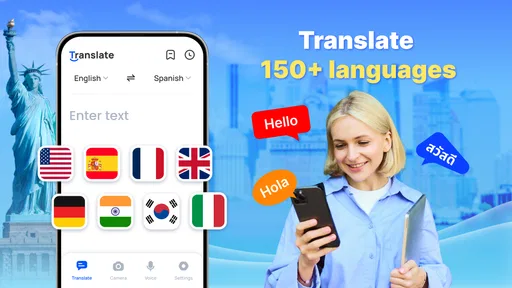
Let’s chat about the interface. It’s sleek, intuitive, and doesn’t overwhelm you with tons of options. The main screen greets you with a simple text box to type your phrases. Above that, you’ll notice options to select your input and output languages. Swapping between languages is as easy as a tap. The best part? It doesn’t feel cluttered, which is a common pitfall with translation apps.
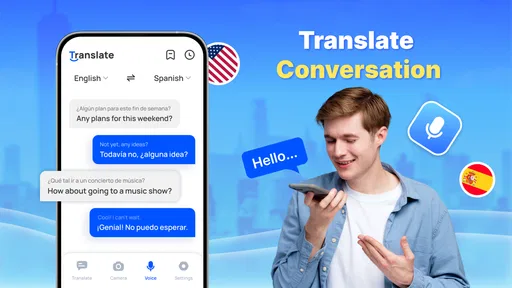
Navigation is smooth, with clear icons guiding you to voice translation, camera translation, and conversation modes. What makes it stand out is its simplicity without sacrificing functionality. Trust me, you’ll appreciate this when you’re in a pinch abroad.
Features that Stand Out
The app isn’t just a one-trick pony. It's packed with features that make it a versatile tool:
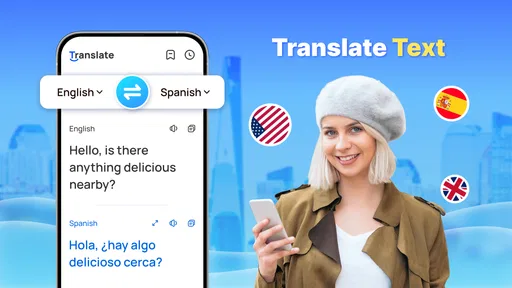
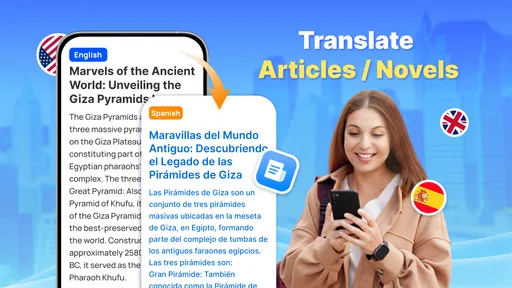
- Text Translation: Supports dozens of languages, and the translations are impressively accurate.
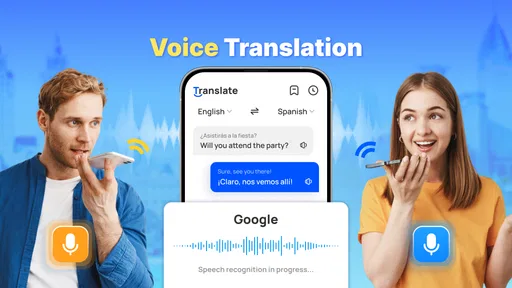
- Voice Translation: A lifesaver for those awkward moments when you can’t quite articulate the local tongue. Just speak into your phone, and boom—translation magic happens.
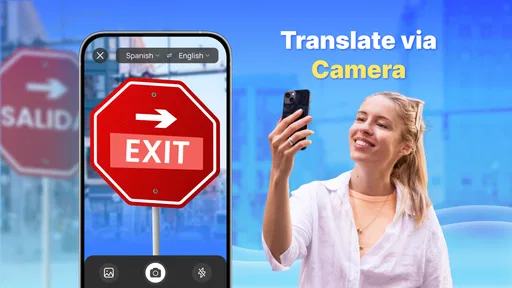
- Camera Translation: Perfect for translating signs or menus. Snap a photo and watch as the app does its thing.
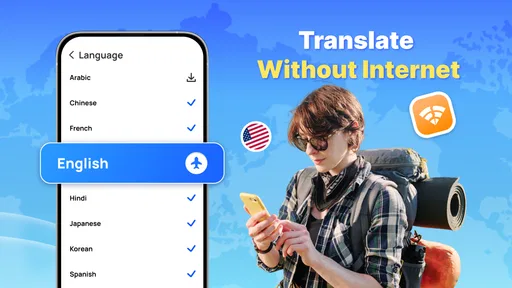
- Offline Mode: No data, no problem. Download language packs and translate even when you’re off the grid.
The app also includes a handy phrasebook feature, which I found super helpful for quick access to common phrases. Imagine having a mini language tutor in your pocket!
Performance and Accuracy
Performance-wise, Translate - Translator is a champ. Translations are quick, usually popping up in a matter of seconds. What surprised me most was the accuracy. Whether I was translating from English to Spanish or diving into more complex languages like Mandarin, the app held its ground. The voice recognition, in particular, was spot on, capturing even my mumblings with surprising precision.
Worth Reading Before You Choose

EA SPORTS FC Mobile 26 Is a Bigger Football Game, but It Takes Time

Flipboard Shows What News Apps Must Do Beyond the Feed

Switching to Android Auto Means Rethinking Your Driving Routine

Google Calendar Makes a Crowded Week Easier to Manage

Ludo King Makes the Most of the Minutes Between Plans

Baby Panda World Brings Quick Play to Modern Phones, but Its Game Library Feels Busy
One thing to keep in mind is that while no translator is perfect, this app gets you pretty close. It’s not going to replace a human interpreter, but it’s an extremely handy tool for everyday use.
Final Thoughts
So, is Translate - Translator worth a spot on your phone? Absolutely. It’s a reliable companion for travelers and language enthusiasts alike. The combination of text, voice, and camera translations along with offline capabilities makes it a standout choice in the crowded field of translation apps.
In a world where communication is key, having an app like this ensures you’re never left in the dark. Whether you’re asking for directions or just trying to order a latte in Paris, Translate - Translator has your back. Give it a try, and you might just find it becomes your go-to app for all things language-related.
Pros
- Accurate translations in multiple languages.
- User-friendly interface and intuitive navigation.
- Supports text
- voice
- and camera inputs.
- Offline mode available for key languages.
- Quick translation speed enhances usability.
Cons
- Occasional inaccuracies with complex phrases.
- Limited offline language selection.
- In-app ads can be distracting.
- Requires stable internet for best results.
- Voice recognition can be inconsistent.
FAQs for Translate - Translator
What languages does Translate - Translator support?
Translate - Translator offers support for over 100 languages, making it a versatile tool for users worldwide. Whether you need to translate from English to Spanish, French to Chinese, or any other combination, this app has you covered. The developers continually update the app to include new languages and dialects.
How accurate are the translations provided by Translate - Translator?
The app uses advanced machine learning algorithms to ensure translations are highly accurate. While no automated translation can be perfect, Translate - Translator offers reliable translations for everyday use. For critical or nuanced text, a professional translator might still be recommended for the best results.
Does Translate - Translator work offline?
Yes, Translate - Translator offers an offline mode for select languages, allowing you to download language packs for use without an internet connection. This feature is particularly useful for travelers who may not have access to data while on the go. Be sure to download the necessary languages before you head offline.
Are there any subscription fees for using Translate - Translator?
Translate - Translator is free to download and use, but it offers a premium version with additional features such as voice translation and ad-free experience. The subscription is optional, and the basic features available for free are sufficient for most casual users who need text translations.
How does the voice translation feature work in Translate - Translator?
The voice translation feature allows you to speak into the app and receive a spoken and text translation in the selected language. This feature is ideal for real-time conversations and is available in the premium version. It supports many languages and is designed to recognize natural speech patterns for more accurate translations.


